I Vibecoded a Mac App Because My MIDI Controller Couldn’t Transpose
How a frustrating hardware limitation became a weekend project that actually works
February 28, 2026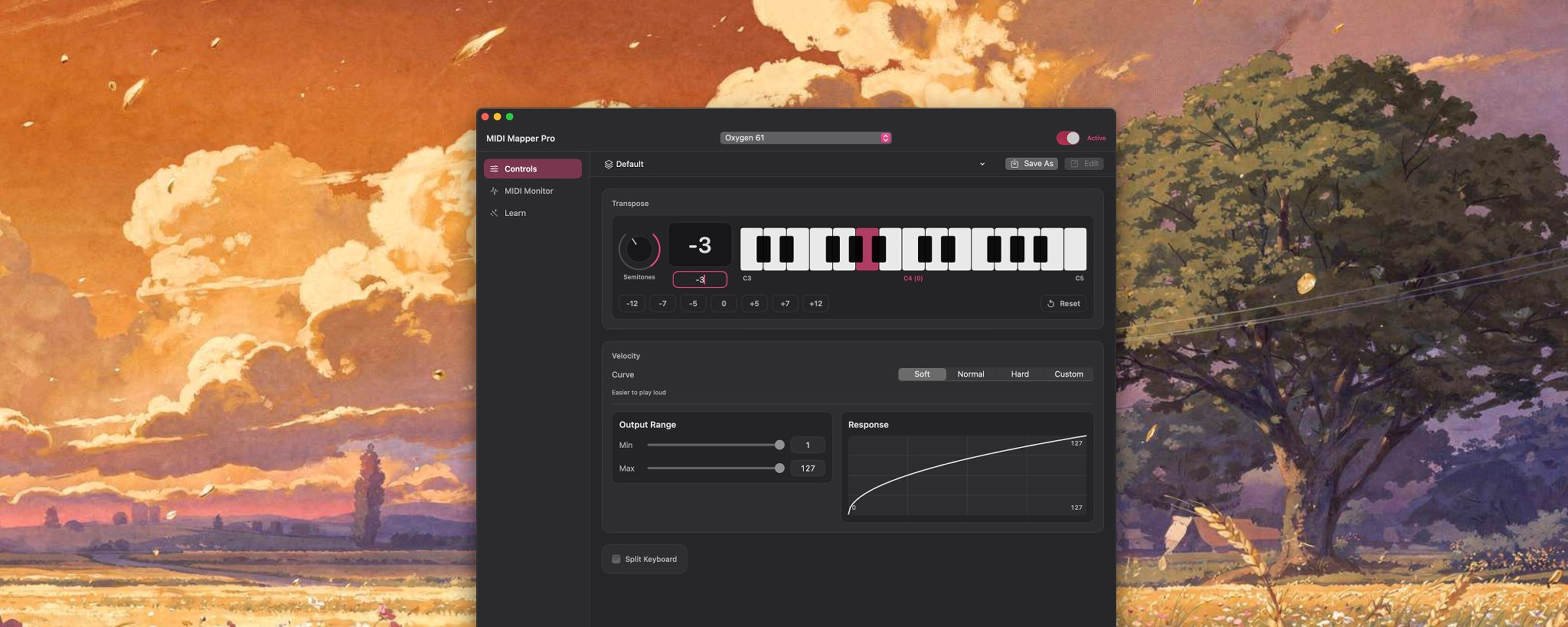
I picked up an old M-Audio Oxygen61 MIDI controller for about $40. Great build, decent keys, satisfying clunk of physical knobs and faders. One problem: it was designed for Pro Tools.
I use Ableton.
Most of the controller’s features were useless to me. It technically had transpose, but the shortcuts were so weird that nothing worked. Made in 2009, discontinued, no manual online. I was stuck.
The Problem
If you don’t play comfortably in all 12 keys, you know why this matters. Want to jam in F# minor? Either you figure it out on the spot, or you slap a MIDI pitch shifter plugin on every track. Then another. Then another.
Tedious. Clutters your project. Kills the flow.
Most people would just buy a different controller. Instead, I built something.
Python First
Started with a Python script to prove the concept. Read incoming MIDI, shift the note values, send them out through a virtual port.
It worked. Low latency, reliable processing, clean routing. Ableton saw it as a normal MIDI input.
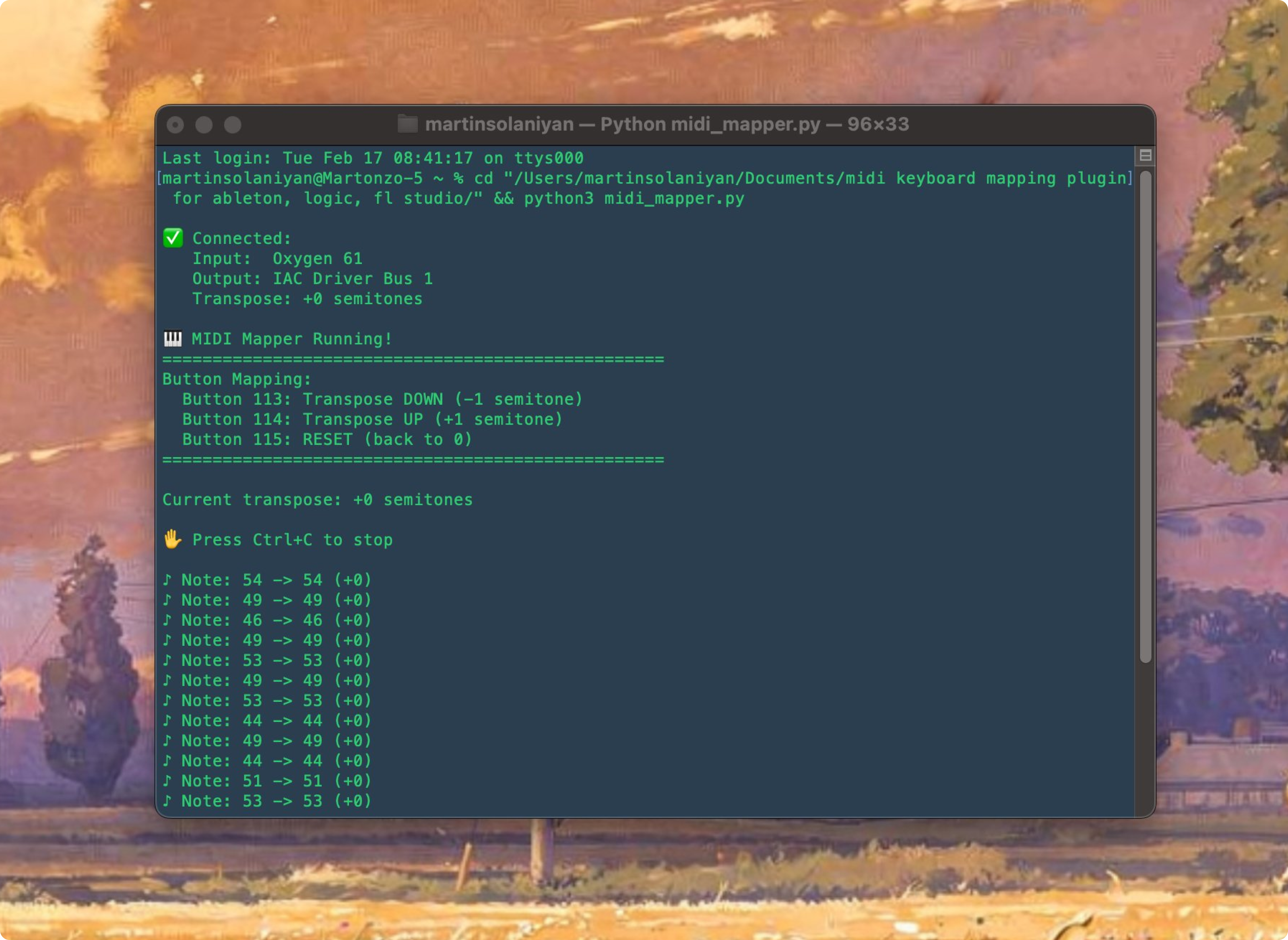
Architecture was solid. But running a Python script every time I want to make music? I wanted a proper tool.
The Mac App
Core MIDI integration first, then virtual port creation, then app lifecycle. Once MIDI could pass through to a virtual output, I built the interface on top.
Transpose
The main feature. A slider to shift notes by semitones, plus quick buttons for common intervals: -12 -7 -5 0 +5 +7 +12. Reset button for when I forget where I am.
Velocity Control
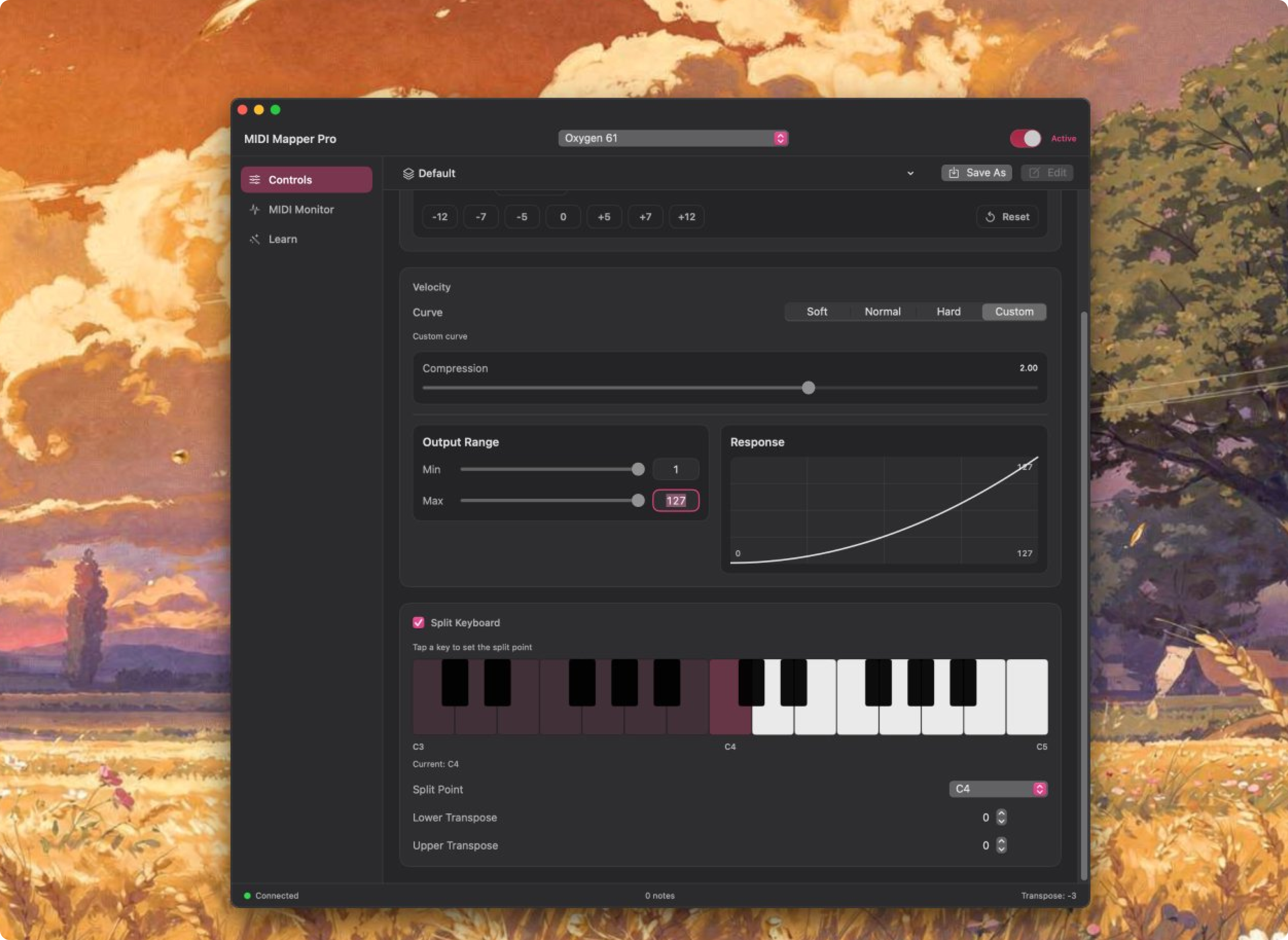
Extra control over velocity dynamics. Makes it easier to match the feel of a real piano.
MIDI Learn
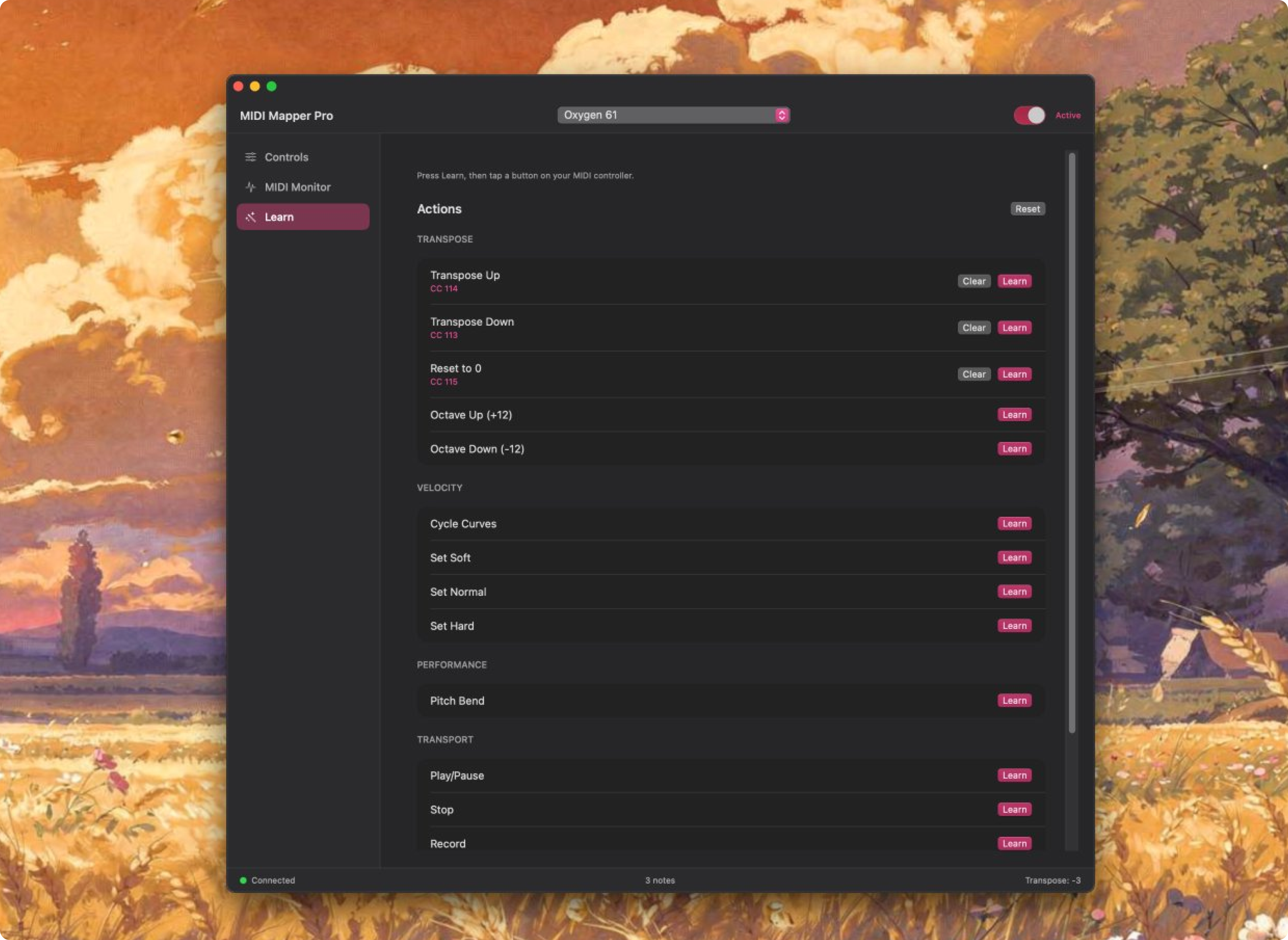
Those buttons on your controller that do nothing because you’re not in Pro Tools? Now they work. Click Learn, tap a button, done:
C27→ Transpose UpC28→ Transpose DownC29→ Reset to 0
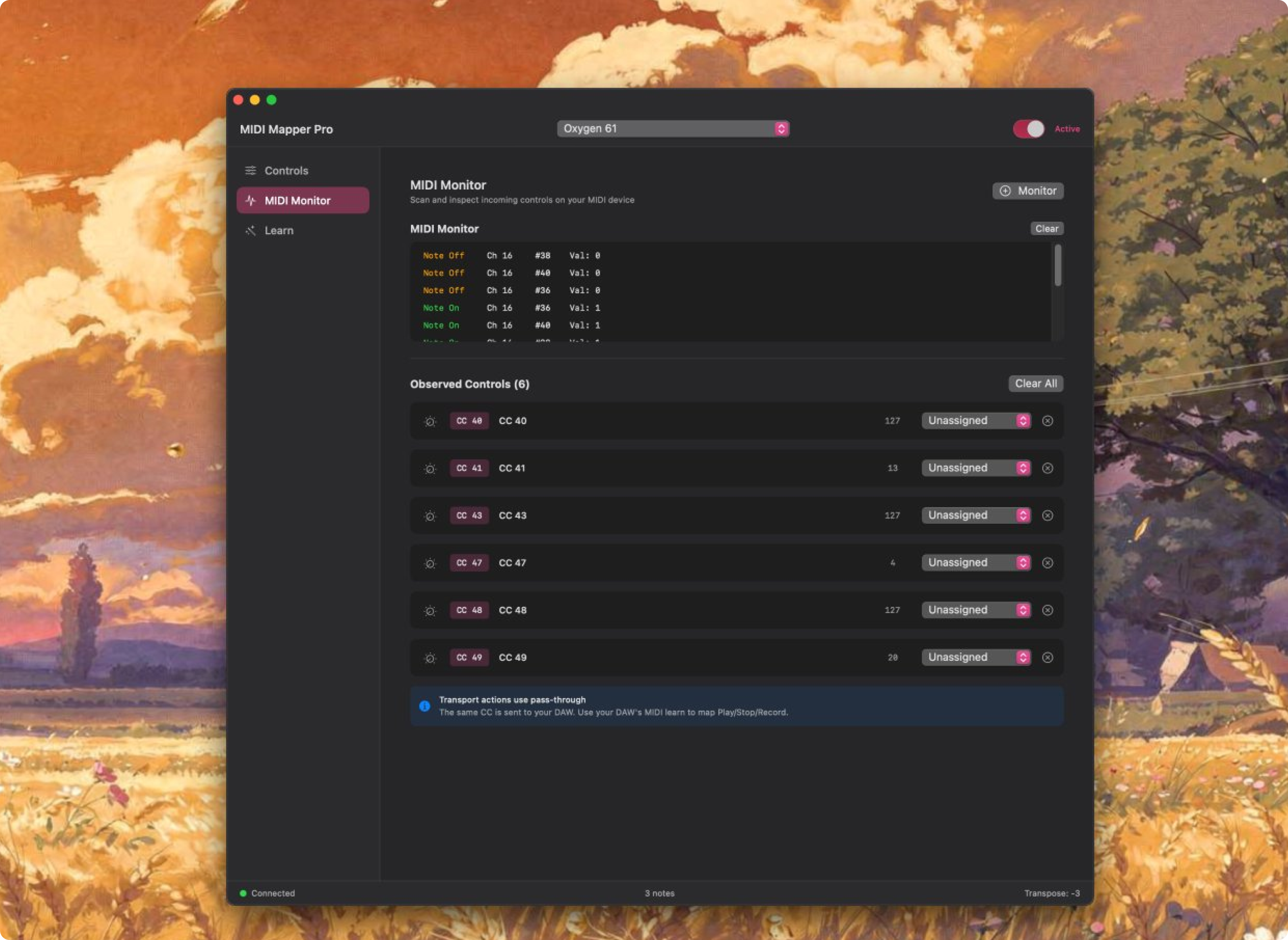
MIDI Monitor
Every incoming MIDI message in real time — notes, CCs, knob twists, button presses. Dead key? You’ll see it’s not sending. Weird DAW behavior? Check what the controller is actually outputting. Unlabeled knob? Turn it and watch.
DAW Setup
MIDI Mapper Pro creates a virtual output that your DAW sees as a regular MIDI device.
- Open MIDI Mapper Pro
- Select your controller as Input
- In Ableton: set MIDI input to
MIDI Mapper Pro (Virtual)
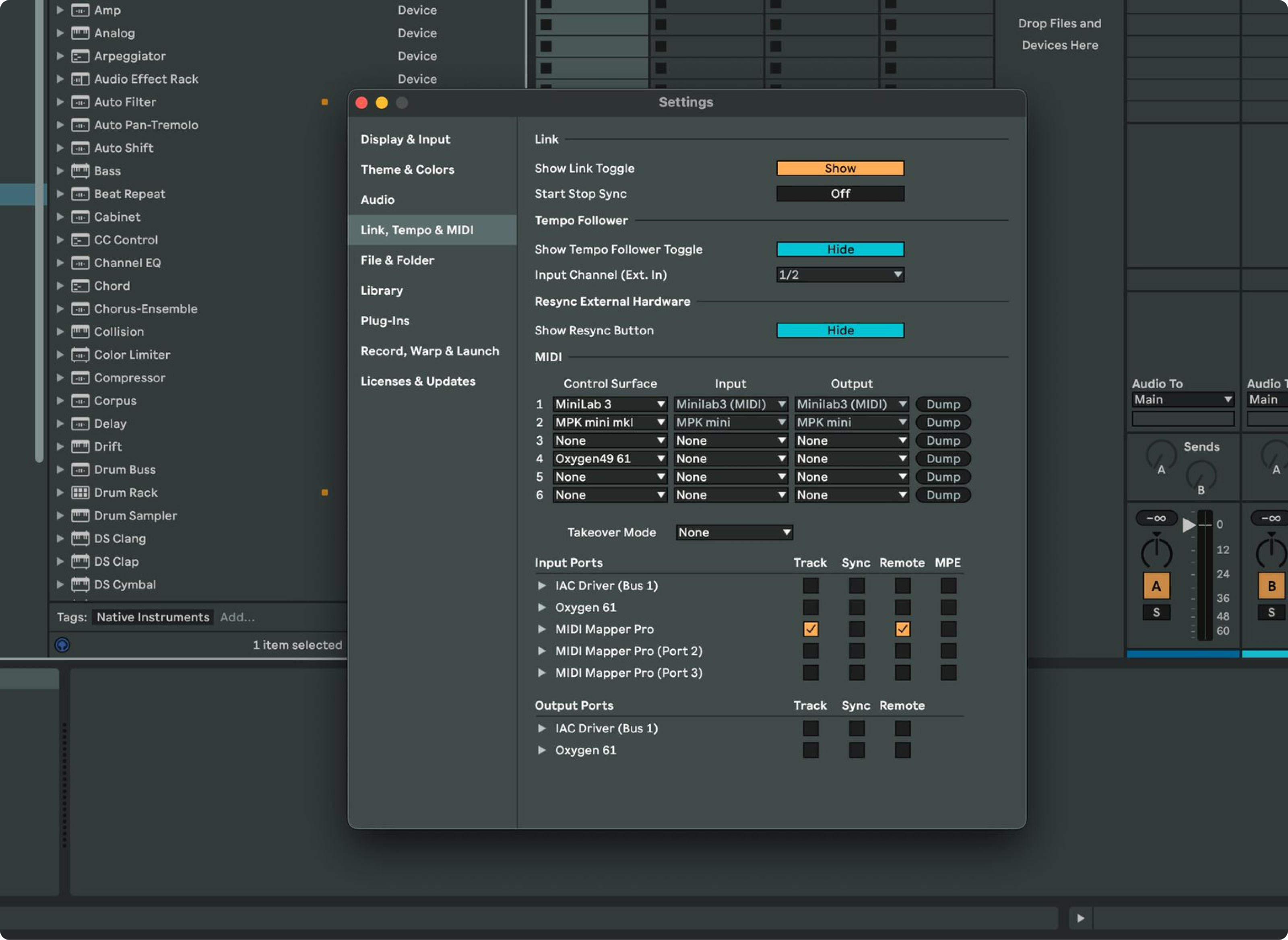
Everything passes through the app and arrives already transposed and velocity-adjusted.
Why I Built This
Yes, I saved a $40 controller from the drawer. But there was another reason.
I wanted to prove I’m a builder.
As a designer, I spend a lot of time thinking about systems and how things should work. Thinking isn’t building. I wanted to take an idea from concept to working software — Python prototype to native Mac app. Environment first, then functionality, then interface.
Funny enough, after building the whole app I finally found the hardware transpose shortcut buried in a random article with the original 2009 manual. Do I still need MIDI Mapper Pro? Yeah. The hardware shortcut is clunky, and the monitor alone has saved hours of troubleshooting.
If you’re a musician willing to mess around with AI coding tools, your options are different now. That controller with the annoying limitation? Might be a weekend project.
The Oxygen still has its clunky keys. But now when I tap C27, everything shifts up a semitone.
I built that.
MIDI Mapper Pro is a personal project. If there’s interest, I’ll put it on GitHub.